The risk of encountering a predatory journal when choosing a platform for publishing an article remains quite high. Due to the fact that many journals deliberately falsify their metrics and information about indexing in Scopus and Web of Science, researchers need to conduct a thorough check. In order to avoid mistakes and choose a truly reliable journal, we have prepared a step-by-step guide that will help you quickly verify whether a journal is indeed indexed in Scopus and Web of Science.
Why is checking indexing important?
Checking whether a journal is indexed in Scopus or Web of Science is critically important for every researcher who aims to publish their article in a reliable and influential journal. The visibility of the work, the level of its citations, as well as the scientific reputation of the author depend on this.
Most journals publish information about key metrics and indexing on their websites, but relying solely on this information is not sufficient. This information may be outdated, inaccurate, or even false.
For example, in order to obtain an academic degree, publication in journals indexed in Scopus or Web of Science is required. If an article is published in a journal that does not meet these criteria, the researcher risks losing the opportunity to defend their dissertation and failing to achieve their career goals. You can read more about the procedure for obtaining academic degrees in Bulgaria in our article on this topic.
How to check the indexing of a journal in Scopus?
To determine whether the journal you need is included in the Scopus database, you will only need a few minutes. To do this, follow these steps:
Go to the main page of the official Scopus website and select the “Sources” section in the upper right corner.

After that, the system will redirect you to a special page for searching scientific journals. At this stage, you need to enter the key data about the journal.

You can search for a journal in several ways: enter the full or partial title of the journal, its ISSN (you can indicate either the print or electronic one), the name of the publisher, or the scientific discipline/subject area.
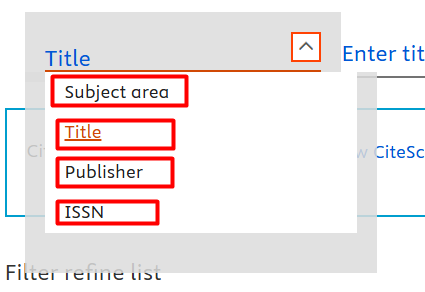
After you have selected the type of journal data and entered it, click the “Find sources” button.

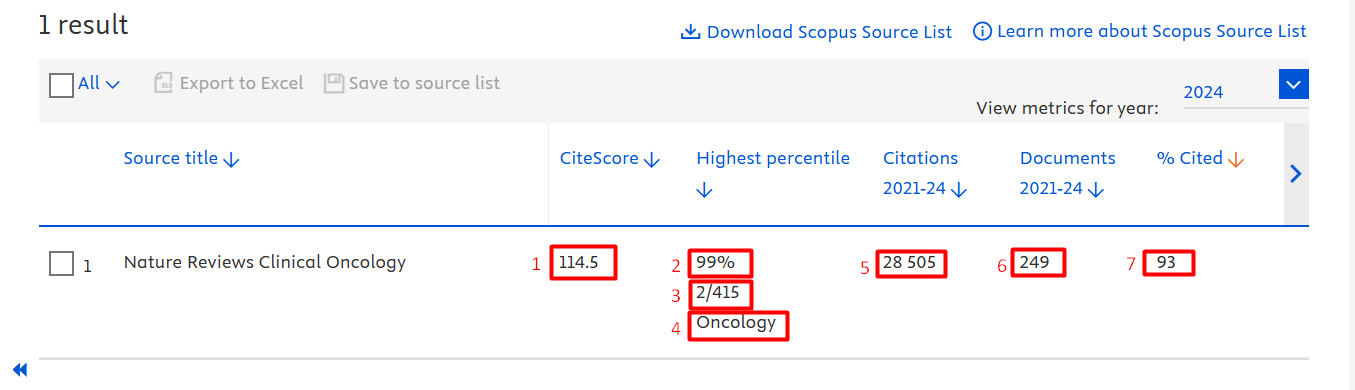
If the journal is indeed indexed in the Scopus database, the system will display it in the search results. In the short description of the journal, its main scientometric indicators are immediately displayed:
- The value of the CiteScore indicator.
- The percentile of the journal within its scientific field.
- The position of the journal in the ranking within a specific scientific category.
- The scientific field to which the journal belongs.
- The total number of citations received by the journal’s articles during the specified period.
- The number of publications produced by the journal during the specified period.
- The percentage of the journal’s articles that have been cited at least once.
To view full information about the journal, you need to click on its title. After that, a separate page of the journal will open with detailed information, including the period of indexing in the database, information about the publisher, ISSN and E-ISSN, a list of scientific subject areas, as well as current scientometric indicators – SJR, SNIP, and CiteScore.
How to check the indexing of a journal in Web of Science?
Checking whether a journal is included in the Web of Science database follows a similar logic to Scopus, but has its own specific features.
First, go to the official Clarivate resource – Master Journal List. In the search field, enter either the title of the journal or its ISSN and click “Search Journals”.
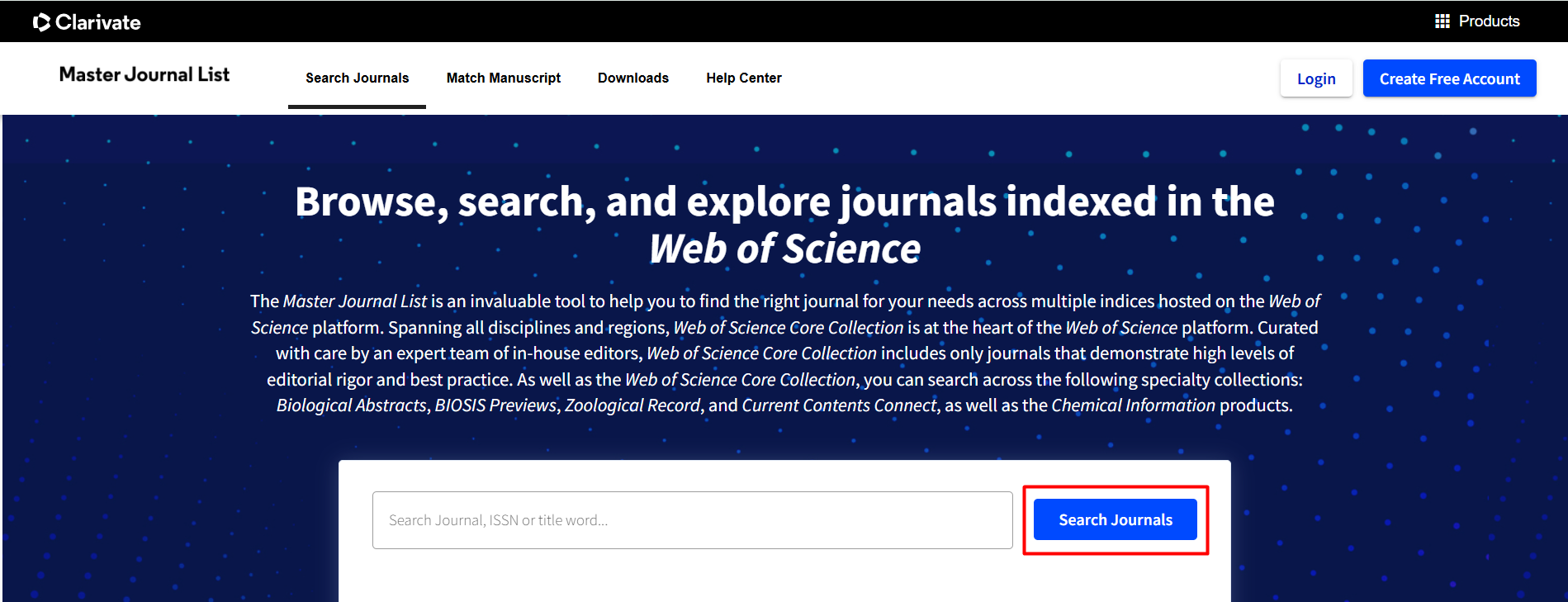
If the journal is included in Web of Science, it will appear in the list, usually among the first results. You will immediately be able to familiarise yourself with the key information, namely: the publisher, ISSN and E-ISSN, as well as which citation index database the journal belongs to.
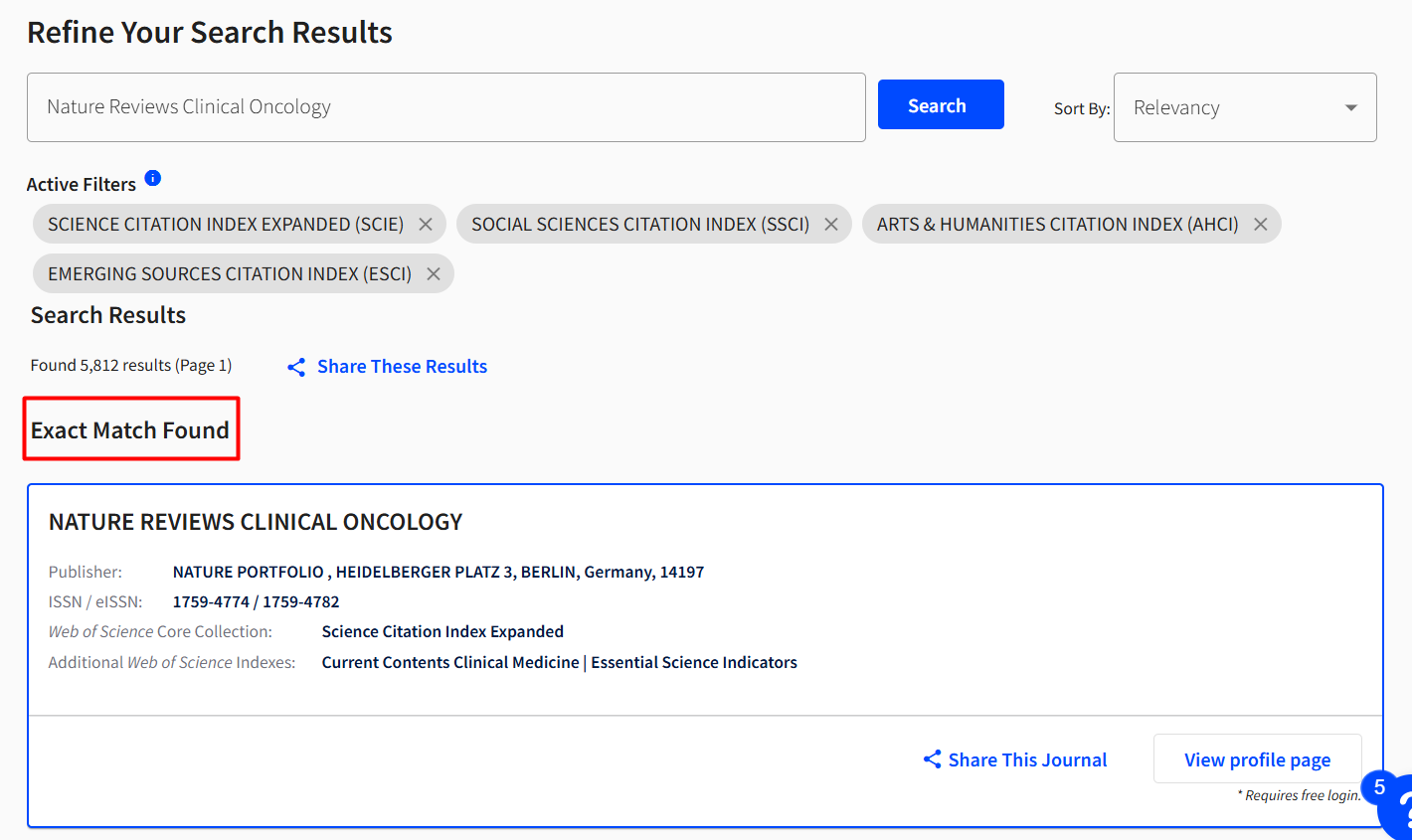
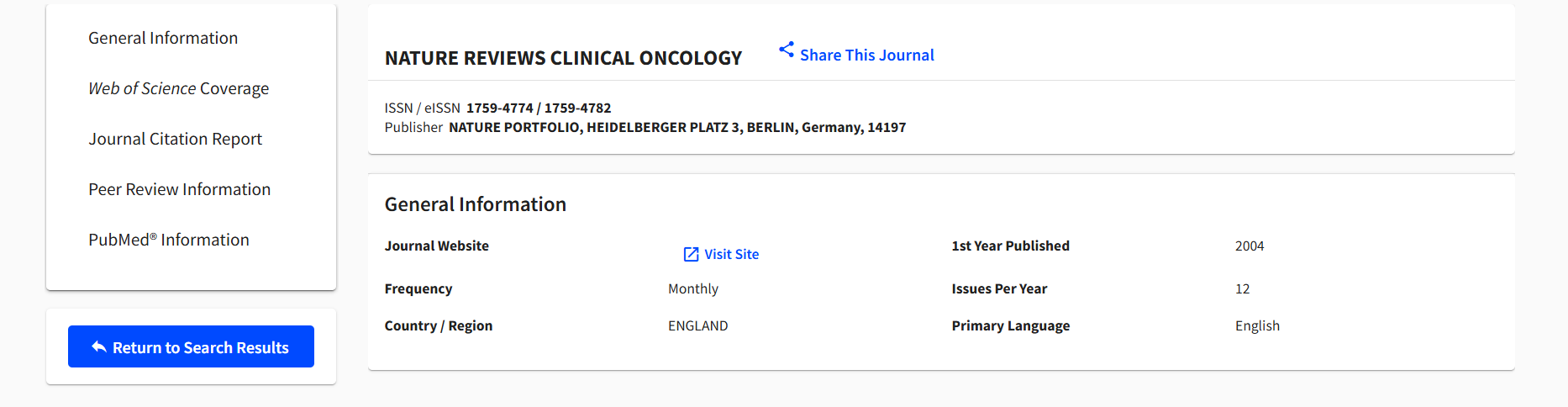
To obtain more complete information, click the “View profile page” button. The system will direct you to a page that contains comprehensive information about the journal, including: ISSN and E-ISSN, publisher information, the year of establishment, the frequency of issue release, the language and country of publication. Also, if you scroll down, you will be able to familiarise yourself with the key scientometric indicators (JCI and JIF), the thematic category, as well as the journal quartile. However, please note that access to the full data is available only with a subscription.
Thanks to the algorithm of actions described above, you will be able to quickly verify the reliability of a journal and choose exactly the one that will meet your goals and contribute to increasing the visibility of your article.
If you have encountered difficulties in the process of publishing in Scopus or Web of Science, the specialists of the company Scientific Publications are ready to help you! We will provide you with a free consultation, select a journal, check the article for compliance with its requirements, and accompany you at all stages of the process. Would you like to learn more? Then leave your contact details in the form below, and our manager will contact you as soon as possible. Together to the new scientific achievements!